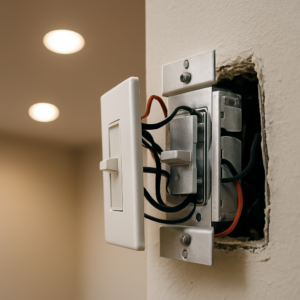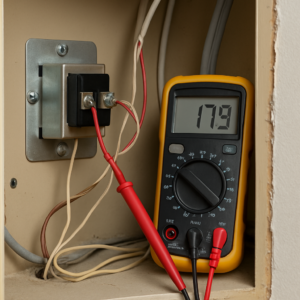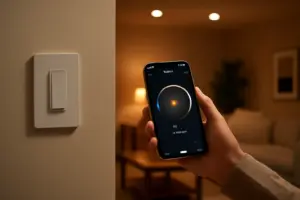
If you’ve screwed a smart bulb into a fixture that’s controlled by a regular wall dimmer and you’re now watching it flicker, buzz faintly, or glow in the dark when it’s supposed to be off, I can tell you exactly what’s happening before you even describe it to me. A smart bulb and a dimmer switch are both trying to control the same 120-volt circuit at the same time, using two completely incompatible methods, and one of them is going to lose that fight every time. The short version: don’t put a smart bulb on a conventional dimmer switch. Full stop. The longer version — the mechanism, the symptoms, and the three setups that actually work — is what the rest of this is about, because I went through this exact confusion in my own dining room before I understood what was going on inside that switch box.
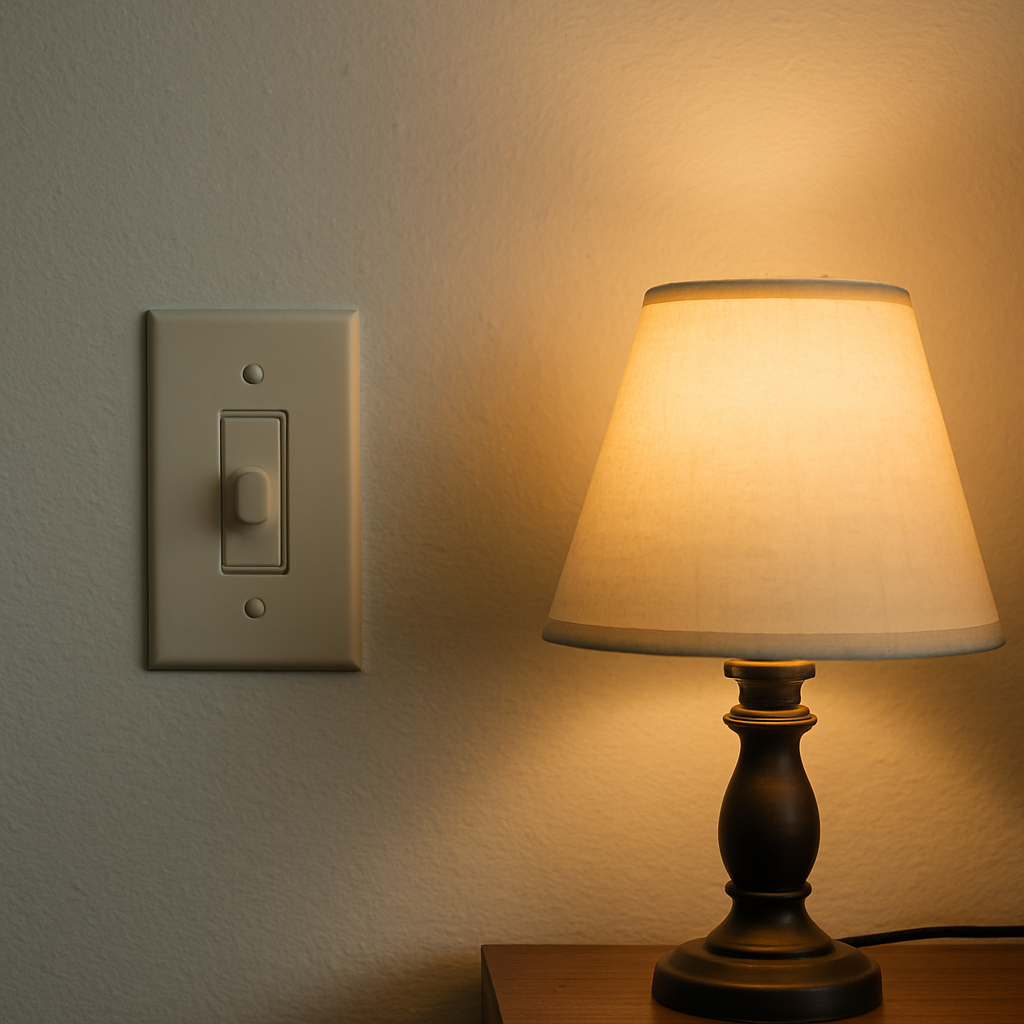
The Direct Answer: Don’t Put a Smart Bulb on a Dimmer
A smart bulb isn’t a passive piece of glass with a filament in it. It’s a small computer. Inside that E26 base is a driver board that converts incoming AC to the low-voltage DC the LEDs actually run on, plus a radio — WiFi, Bluetooth, or Zigbee depending on the brand — that has to stay powered and connected around the clock so the bulb can receive commands, report status, and hold its place on your network. That electronics package expects a clean, continuous, full sine wave of line voltage arriving at the socket at all times. That’s the deal it’s built around.
A standard wall dimmer has a completely different job. Most residential dimmers are TRIAC-based phase-cut devices, meaning they deliberately chop off a portion of every AC half-cycle to reduce the average voltage reaching the bulb. That’s how they dim an incandescent filament, and it’s a clever, decades-old trick. But it means the dimmer is intentionally feeding your fixture a mutilated, incomplete waveform — and that’s precisely what a smart bulb’s driver and radio were never designed to tolerate.
The result is a specific, recognizable set of symptoms: visible flicker at low dim levels, an audible buzz or hum from the bulb itself, a faint glow when the switch is fully off (caused by leakage current bleeding through the TRIAC even in the “off” position), failure to pair during setup, random dropouts from WiFi or Zigbee days or weeks after everything seemed fine, and a driver that runs hot and dies well before its rated lifespan. None of that is a defective bulb. It’s a bulb doing exactly what it does when you feed it power that isn’t what it was engineered for.
The E26 Confusion, Cleared Up
I get why people search for an “E26 smart bulb compatible with a dimmer switch” as if that’s a real product category, because E26 sounds like it should mean something about capability. It doesn’t. E26 is a base designation — it means the screw base measures 26 millimeters in diameter, which is the standard medium Edison base used on the overwhelming majority of household bulbs in North America. It tells you the bulb will physically thread into your socket. That’s the entire scope of what E26 describes.
E26 says nothing about voltage handling, dimming behavior, wattage equivalence, or radio compatibility. A smart bulb, a dumb LED, and an old incandescent can all share an E26 base and behave in three totally different ways on the same dimmer. So when a listing advertises an “E26 smart bulb,” that’s just confirming it’ll fit your lamp or ceiling fixture — it is not making any claim about how it will behave with the phase-cut dimmer already installed in your wall.
“Dimmable” on the Box Doesn’t Mean Dimmer-Switch Compatible
This is the other label that trips people up. Nearly every smart bulb on the market is technically “dimmable” — the Linkind bulbs (Linkind Smart Light Bulbs), the Govee color bulbs (Govee A19 Smart Bulb), and the DAYBETTER bulbs (DAYBETTER A19 Smart Bulb) will all dim from 1% to 100% in the app or by voice command. But that dimming happens entirely inside the bulb’s own driver circuitry, digitally, in response to a command it receives over its radio. Line voltage into the bulb never changes. That’s a fundamentally different mechanism from a TRIAC wall dimmer chopping the actual waveform before it ever reaches the socket.
“Dimmable” on a smart bulb box means “dimmable via the app.” It is not shorthand for “safe to install downstream of a wall dimmer.” Those are unrelated claims that happen to use the same word, and manufacturers rarely bother to clarify the difference on the packaging.
Three Configurations That Actually Work
1. Smart bulb + a standard non-dimmer switch, left on
If you already have a smart bulb and love it, the fix is often simpler than replacing hardware: swap the dimmer for a plain single-pole toggle or rocker switch, and leave that switch physically on all the time. The bulb gets clean, uninterrupted line voltage, and all dimming and on/off control happens through the app, voice assistant, or automation. This is what I ended up doing in my home office lamp circuit — pulled the dimmer, put in a standard switch, and never touched it again.
2. Ordinary dimmable LED bulbs + a smart dimmer switch
For any fixture with more than one bulb, this is the setup I actually recommend. A smart dimmer switch — like the Kasa HS220 (Kasa Smart Dimmer Switch HS220) — replaces the wall control itself and is engineered from the ground up to modulate voltage smoothly for standard dimmable LEDs, while also giving you app and voice control at the switch level. You get smart-home functionality without asking six individual bulbs to each run their own radio. I’ve written a full breakdown of which smart dimmers pair reliably with LED bulbs and which ones cause the same flicker problems people are trying to escape, in this rundown of smart dimmers that actually work with LED bulbs, if that’s the direction you’re leaning.
3. Smart bulb + a battery-powered, bulb-friendly remote dimmer
There’s a third option that doesn’t get mentioned enough: a battery-powered smart remote or dimmer plate mounted over your existing switch (or on the wall separately), which sends a wireless command to the bulb’s radio rather than cutting line voltage. The physical wall switch behind it stays hard-wired on. This gives you a tactile wall control that guests can actually use, without ever chopping the waveform feeding the bulb.
The Wall-Switch Problem Nobody Warns You About
Here’s the thing that actually annoyed me more than any flicker ever did: if you go the standard-switch-left-on route, anyone in the house who flips that switch off out of habit kills power to the bulb entirely. No power means no radio, which means the bulb drops off WiFi or Zigbee, ignores voice commands, and won’t respond to the app until someone physically walks over and turns the switch back on. I learned this the hard way when my in-laws visited, flipped the dining room switch off because that’s what switches are for, and I spent twenty minutes the next morning wondering why Alexa insisted the light didn’t exist.
The fixes are low-tech but effective: a clear switch guard or lock-on cover plate that physically prevents the switch from being toggled, plain labeling right on the switch plate (“Leave ON — smart bulb”), or just accepting that this friction is the tradeoff you’re making. It’s also worth reading through this comparison of where smart plugs versus smart switches actually belong in a house, because in a lot of rooms the better long-term answer is moving control to the switch itself rather than fighting with a bulb that depends on a switch nobody’s supposed to touch.
Multi-Bulb Fixtures and 3-Way Circuits
My dining room chandelier has six sockets, and my first instinct was to fill all six with smart bulbs. I’m glad a friend talked me out of it before I bought them, because six individual radios all trying to join the same network, six sets of firmware to keep updated, and six bulbs slowly drifting out of color-temperature sync with each other is a genuine mess — and an expensive one. One smart dimmer switch controlling six ordinary dimmable LEDs solves all of that with a single point of control and a fraction of the cost.
Three-way circuits — where a fixture is controlled from two switch locations, common at the top and bottom of a staircase — add another wrinkle. Smart bulbs technically don’t care how many switches control them, as long as both stay physically on, but that doubles your risk of someone toggling the “wrong” one off. Smart dimmers built for 3-way circuits, like the Leviton Decora Smart Dimmer (Leviton Decora Smart Dimmer, Wired or Wire-Free 3-Way), handle this properly by using a companion switch or wire-free remote at the second location, so both switches stay in sync without either one ever cutting power the way a standard 3-way traveler wire setup would with a smart bulb behind it.
A Decision Framework You Can Actually Use
After going back and forth on this in three different rooms of my own house, here’s the rule I actually use now:
- Choose a smart bulb when it’s a single-fixture accent lamp, you want color-changing effects, you’re renting and can’t touch the wiring, or the box has no neutral wire and a smart dimmer isn’t an option.
- Choose a smart dimmer switch when the fixture has multiple bulbs, it’s a whole-room general lighting circuit, guests or family regularly use the physical wall switch, or you care about resale value and want the smart feature to stay with the house.
If your actual complaint is that your existing dimmable LED bulbs flicker or buzz on a perfectly ordinary (non-smart) dimmer, that’s a separate compatibility issue worth chasing down on its own — I cover the causes and fixes in this piece on LED and dimmer compatibility problems, and it’s not the same failure mode as the smart bulb dimmer switch conflict we’re talking about here.
The Neutral Wire Reality Check
If you’re leaning toward the smart-dimmer path, check your switch box before you buy anything. Most smart dimmers, including both Kasa models I mentioned, require a neutral conductor present in the switch box to power their onboard electronics and radio. Houses built or rewired since the 2011 NEC cycle generally have that neutral pulled to every switch location because the code now requires it in most cases specifically to support devices like this. Older homes — mine included, in a couple of rooms — sometimes only have the switch loop with hot and switched-hot, no neutral. No-neutral smart dimmers do exist, but they typically work by drawing a tiny bleed current through the bulb itself, which can occasionally cause the exact faint-glow-when-off symptom I described earlier if the bulb’s driver doesn’t handle it gracefully. Confirm what’s actually in the box before you commit to a specific dimmer model.
One quick aside: WiFi and app-controlled smart dimmers have their own layer of compatibility rules around minimum load, LED driver types, and neutral requirements that go beyond what I’m covering here — I’ve written about that separately, so if you’re specifically choosing between smart dimmer models, that’s a better next stop than trying to cover it all in this post.
When to Call a Licensed Electrician
I’ve pulled permits on my own house and had my panel, solar, and EV charger work inspected, and swapping a dimmer for a standard switch or a smart dimmer is genuinely approachable DIY work for most homeowners comfortable killing the breaker, verifying it’s dead with a non-contact tester, and following the wiring diagram in the box. But call a licensed electrician if you open the box and don’t find a neutral where the dimmer instructions say one should be, if you find aluminum wiring, if the box is overcrowded and you’re not confident about fill calculations, if you’re dealing with a 3-way or 4-way circuit and the traveler wires aren’t clearly identifiable, or if anything about the existing wiring looks like a past DIY shortcut. None of that is worth guessing on.
My Recommendation
Stop trying to make a smart bulb dimmer switch combination work as one system, because it was never designed to be one. Pick a lane: a smart bulb behind a switch that stays on, or ordinary dimmable bulbs behind a smart dimmer that handles the wall-control side properly. For a single lamp or accent fixture, I’d reach for a smart bulb like the Govee or Linkind bulbs I mentioned. For a real fixture with multiple bulbs, or any switch guests are going to touch, a smart dimmer with a neutral wire is the one that’ll still be working correctly five years from now. That’s the setup running in every multi-bulb fixture in my own house today, and it’s the last time I had to think about it.
This post is for informational and educational purposes only and is not a substitute for a licensed electrician. Never work on live circuits, and always pull a permit and have work inspected where required. If you are unsure about any step, stop and call a licensed electrician.
About This Article

Written by Marc Reeves. Marc Reeves is an electrician with 12 years of hands-on residential and light commercial experience. He started Panels & Plugs to help homeowners make smarter decisions about their electrical systems and renewable energy upgrades, including knowing exactly when a job needs a permit and a licensed pro. More about this site.
Scope and limits. Marc is a homeowner who studies residential electrical systems, not an electrician. Anything behind the panel, on a hardwired circuit, or subject to permit and inspection belongs with a licensed electrician.
Verify this against a primary source
Specifics change, and your situation may differ from the one described here. These are the authorities worth checking directly:
- NFPA — the National Electrical Code (NFPA 70)
- Electrical Safety Foundation — residential electrical safety guidance
- CPSC — product recalls and electrical hazard notices